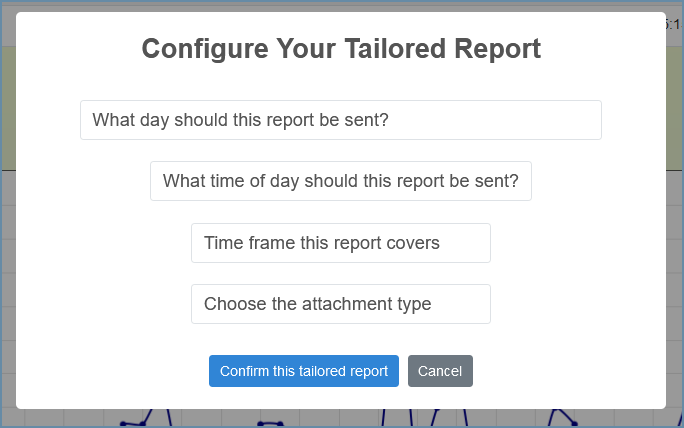
Users of VoIP Detective PRO have the option to schedule reports to be emailed at per-determined intervals. You'll decide the frequency, delivery time and date, and format of the report, and it will be sent automatically to your email inbox.
Tailored Reports
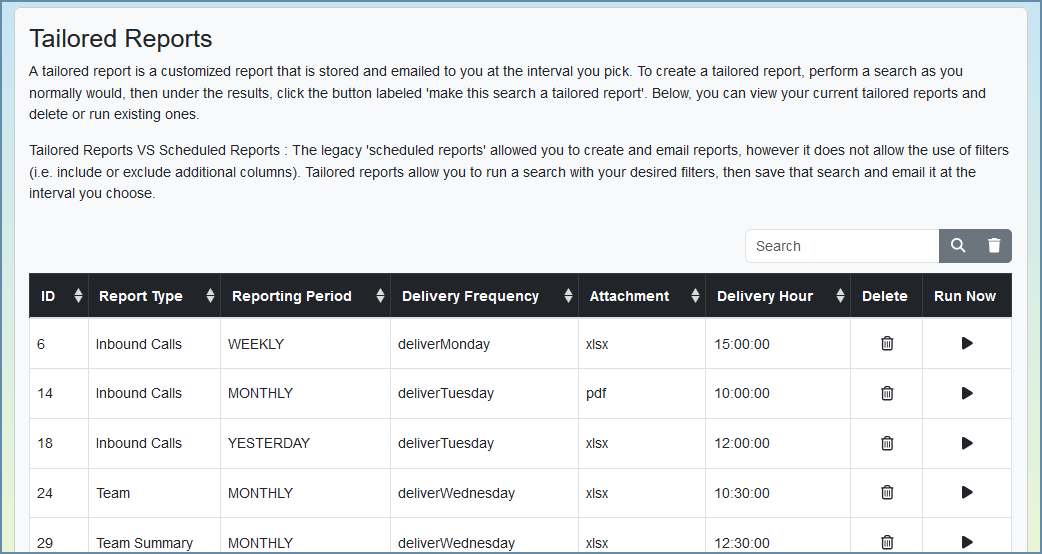
Introduced in VoIP Detective 1.9, Tailored reports offers an easy way to schedule reports to be emailed to you.
Creating a tailored report
You simply run the report you're interested in through the web interface, then click the "Make this search a tailored report button.
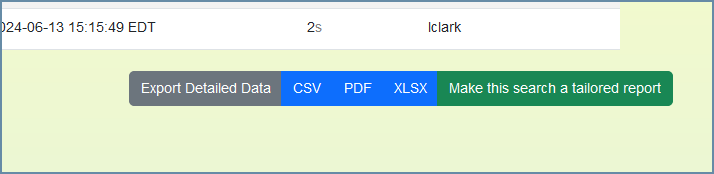
Clicking the green "Make this search a tailored report" button will bring a popup that will prompt you for information.
You can administer (delete or run ad-hoc) existing tailored reports by going to the "My Scheduled Reports" page.
Scheduled Reports (legacy)
VoIP Detective originally used an interface called "scheduled reports" that allowed users to setup their own reports. This has been depreciated in favor of our "tailored reports" interface. Scheduled reports will eventually be removed from VoIP Detective.
By clicking on the "Report Descriptions and Terminology" button, you can see an explanation of all the available options. Please also note that mousing over various selections will provide tooltip (popup) descriptions.
Was this article helpful?
That’s Great!
Thank you for your feedback
Sorry! We couldn't be helpful
Thank you for your feedback
Feedback sent
We appreciate your effort and will try to fix the article